Categories and tags are essential tools for organizing and categorizing your content. They enhance your site's navigation and make it easier for users to find relevant information.
Note: A category is a class or division of things regarded as having particular shared characteristics. You use categories to filter content.
Categories allow you to build a clear hierarchy for your content, making it easy for both administrators and visitors to navigate. Categories can be assigned to headless (Additional) fields, enabling you to structure any custom content type you create.
Using categories helps maintain consistency, improves content discoverability, and supports scalable content management as your project grows.
Why use categories?
- Hierarchical structure: Categories have a hierarchical structure, allowing you to set parent-child relationships. For example, under a parent category like "Electronics," you could have child categories like "Smartphones," "Laptops," and "Cameras."
- SEO benefits: Properly used categories can significantly impact your SEO. They help search engines understand your website's structure and content, thereby improving its visibility.
Tip: Use descriptive category names and consider incorporating keywords to boost SEO.
- User experience: Categories improve the user experience by making it easier to find and navigate to relevant content.
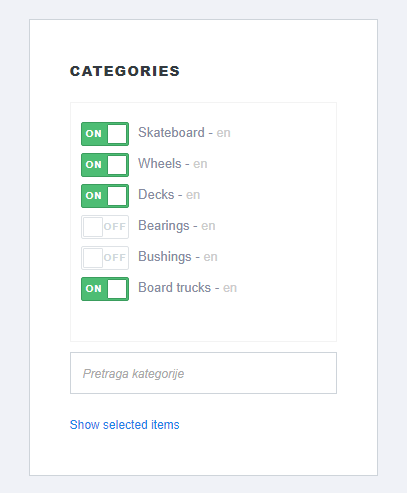
Managing categories
- Adding and editing categories
Learn how to add and edit categories to organize your content effectively. Read more. - Deleting categories
Understand the steps to delete categories when they are no longer needed. Read more. - Adding categories to products
Discover how to associate products with specific categories to enhance product discovery. Read more. - Removing categories from products
Find out how to remove categories from products for better content management. Read more.
Advanced tips
Customization
Explore how to add custom fields to categories for enhanced features and functionalities.
SEO optimization
Always consider the user experience and SEO when creating and managing categories to ensure your content is easily discoverable and navigable.